
Understanding Biometric Passports
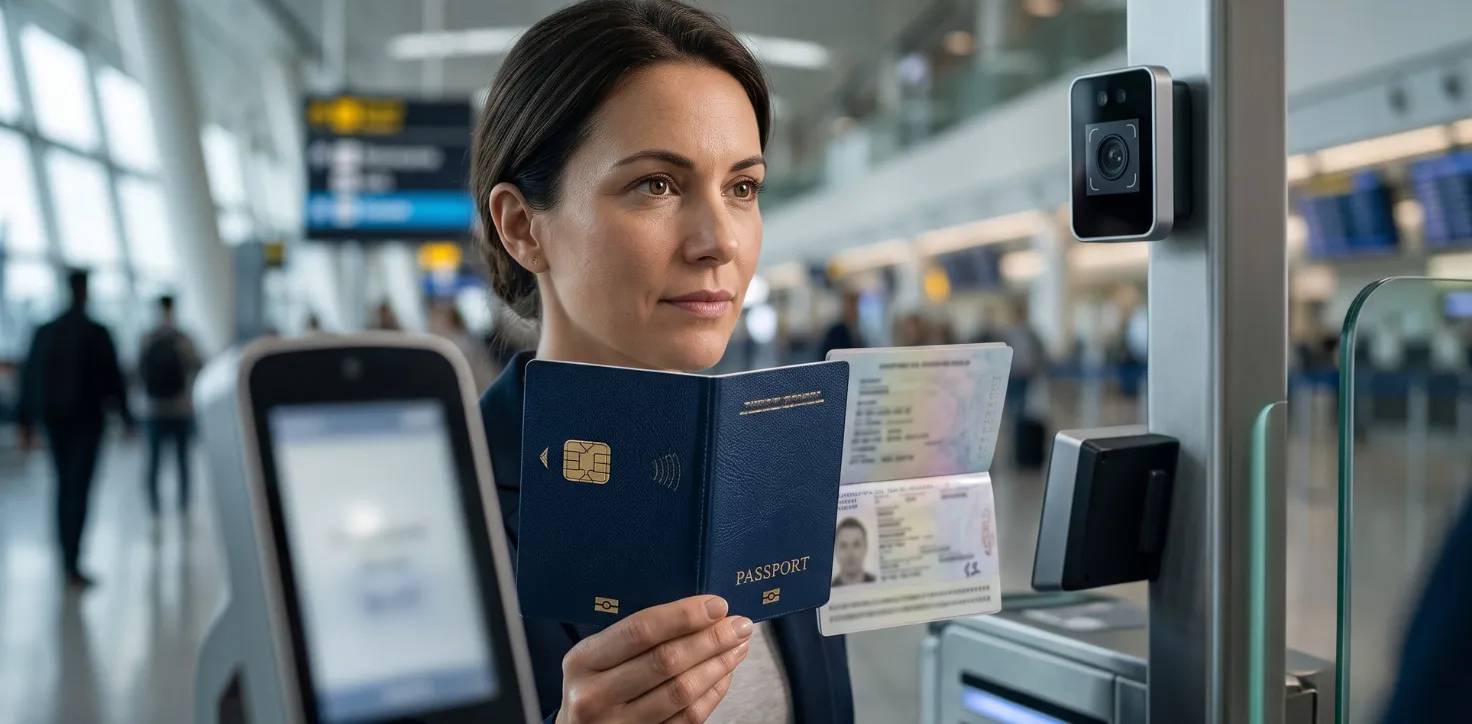
If you have a UK passport issued after 2006, there is a good chance you already have a biometric passport without realising it. The small gold symbol on the front cover — resembling a camera lens — indicates that a microchip is embedded inside. That chip is what makes a passport "biometric," and understanding what it does can help you travel more confidently and apply with fewer surprises.
Biometric passports are now the global standard, set by the International Civil Aviation Organisation (ICAO). They are designed to make identity verification faster, more accurate, and significantly harder to forge.
What Makes a Passport Biometric?
A biometric passport contains an embedded microchip that stores a digital version of your facial image — the same photograph printed on your data page. This allows automated border control systems to compare your live face against the stored image quickly and accurately.
The chip is protected by a cryptographic signature system known as Passive Authentication. This makes it extremely difficult to tamper with the stored data without the chip detecting the change. The chip also uses Basic Access Control, which means it can only be read once the machine-readable zone at the bottom of your photo page has been scanned optically. This prevents the chip from being read remotely by an unauthorised device.
The UK began issuing biometric passports in 2006, following the ICAO 9303 international standard. Most major countries followed suit, which is why automated ePassport gates now work seamlessly across borders for eligible travellers.
How Biometric Passports Differ from Older Passports
If you have a pre-2006 UK passport that has somehow not yet expired, it will not work at ePassport gates. You would need to use a staffed border desk instead. But the differences go beyond airport queues.
A non-biometric passport contains no chip, no stored digital facial data, and no cryptographic protection. It is, in practical terms, a paper document with a photograph and official stamps. Biometric passports, by contrast, meet ICAO 9303 standards that are recognised by over 100 countries, enabling trusted, automated identity verification worldwide.
If your passport needs renewing or you are applying for the first time, there is no separate "biometric" application — every UK passport issued today is biometric by default.
How to Apply for a UK Biometric Passport: A Step-by-Step Guide
Applying for a UK biometric passport follows the same process as any standard UK passport application. There is no separate form or additional step to request the biometric chip.
- Confirm whether you need to apply for a first passport or renew an existing one.
- Gather your supporting documents, including proof of identity and citizenship where required.
- Arrange a compliant passport photograph that meets the official requirements.
- Complete your application online via the official HMPO service or use the Post Office Check and Send service if you prefer a paper application reviewed in person.
- Submit your application and supporting documents, then track progress using the HMPO online tracker.
Processing times vary depending on the service chosen and the time of year. Always check the latest guidance before applying, as timelines can change.
Common Pitfalls to Avoid When Applying
Passport photographs are the most common reason applications are delayed or rejected. The official requirements are detailed and specific — lighting, background, expression, and dimensions all matter. Reading the guidance carefully before submitting your photo can save weeks of waiting.
Other common mistakes include submitting incomplete supporting documents, providing inconsistent personal details, and underestimating how long the process takes. If you have a travel date approaching, apply well in advance rather than relying on estimated processing windows, which can shift.
It is also worth noting that the HMPO online tracker updates at three stages only: application received, documents received, and passport dispatched. It does not provide daily progress updates, so factor that into your planning.
Required Documents and Fees
The documents required will depend on your individual circumstances — whether you are applying for the first time, renewing, or replacing a lost or damaged passport. Generally, you will need a valid form of identity, proof of British nationality, and a compliant passport photograph.
Fees are set by His Majesty's Passport Office and are subject to change. As a guide, online applications and paper postal applications are priced differently, and the Post Office Check and Send service carries an additional charge. However, you should always check the current fees before applying, as they may have been updated.
For full and up-to-date guidance on documents, fees, and the application process, visit GOV.UK's passport guidance.
For official passport photo requirements, refer to GOV.UK's passport photo guidance.
How Private Assistance Can Simplify Your Passport Application
For many people, the passport application process is straightforward. But if your situation involves a recent name change, damaged or missing documents, a tight travel deadline, or simply a first application and uncertainty about getting everything right, private assistance can be genuinely useful.
A private passport assistance service can help you understand what documents you need, review your application details for common errors before submission, and guide you through the process step by step. This does not replace the official HMPO process, and no private service can guarantee approval or specific processing times — those decisions rest entirely with His Majesty's Passport Office.
What assistance can do is reduce the risk of avoidable mistakes that cause delays, and give you confidence that your application has been prepared carefully.
To find out more about how private assistance could support your application, visit UK Passport Assistance.
This website is not an official UK Government site. For the most up-to-date and official information, please visit the GOV.UK passport section.